










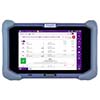
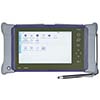
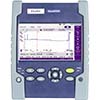
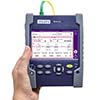
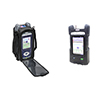
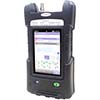
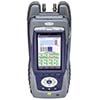
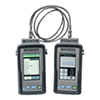













































VIAVI has now made it possible to download new software featuring, among other things, an improved GUI and SmartAcq+ (OTDR) for Optimeter, SmartOTDR, MTS-2000, MTS-4000 V2, and OneAdvisor 800.
With the new interface comes:
New SmartAcquisition Plus (SmartAcq+) algorithm for Point-to-Point testing
“SmartAcq+” automatically applies multiple pulse widths to improve detection of all elements in the fiber link. It generates a consolidated results summary and displays a single OTDR trace seamlessly combining all applied pulse widths.
CSOR files (merged traces) are automatically saved at the end of the test.User-friendly and clearer menus that make OTDR setup much more intuitive and easy to navigate.
Various improvements in Point-to-Point and PON configurations
The new software can be downloaded and installed free of charge via StrataSync, or you can use the links below for manual (USB) upgrade:
See more details below in VIAVI’s introduction to the new interface.
If you would like to know more, please contact us via email at info@bbtfiberoptic.dk or by phone at +45 4541 2040.
___________________________________________________________________________________
The latest software update includes several usability improvements. Here are the key new functional additions. For more information, please refer to the release notes:
Optimeter
Avoid service or customer interruptions by ensuring that no SFPs are shut down during troubleshooting or verification of a potentially active fiber connection.
SFP Protect option (ESFPPROTECT) is available in Point-to-Point and Real Time test modes (Real Time test requires the OptiTrakPLUS option).
SmartOTDR
Easier and faster configuration of test applications with a new intuitive settings menu layout.
Increased visibility – layout optimized for smaller screens
All settings on one page, grouped by relevance
Enhanced guidance when setting up OTDR
Improved Auto-Test mode
ExpertOTDR, FTTH-SLM, and Power Meter/Light Source (LTS) apps
Avoid service or customer interruptions by ensuring that no SFPs are shut down during troubleshooting or verification of a potentially active fiber connection.
SFP Protect option (ESFPPROTECT) available for testing at 1650 nm
T-BERD/MTS-2000, T-BERD/MTS-4000 V2, OneAdvisor 800
Easier and faster configuration of test applications with a new intuitive settings menu layout.
Increased visibility – layout optimized for smaller screens (T-BERD/MTS-2000)
All settings on one page, grouped by relevance
Enhanced guidance during setup – especially for bidirectional tests
Improved Auto-Test mode
Harmonized setup across apps – settings can be transferred between apps:
ExpertOTDR, FTTH-SLM, FiberComplete / FiberComplete PRO, Power Meter/Light Source (LTS) apps
CD/PMD/AP (OneAdvisor 800)
OTDR, ExpertOTDR application
View more events with greater detail and reliability through improved splice event detection based on multipulse and the new SmartAcquisition Plus (SmartAcq+) algorithm for Point-to-Point connections.
FiberComplete/FiberComplete PRO applications
Test longer fiber links up to 200 km for metro and long-haul applications.
Supports the new 45 dB FiberComplete C-module.
SmartLink Mapper application
FTTH-SLM
View more events and characterize splitters with greater accuracy and reliability – including high split-ratio splitters (1:256), unbalanced, and tapered splitter PON architectures – with enhanced measurement algorithms.